
CHEXX Registration in Nigeria
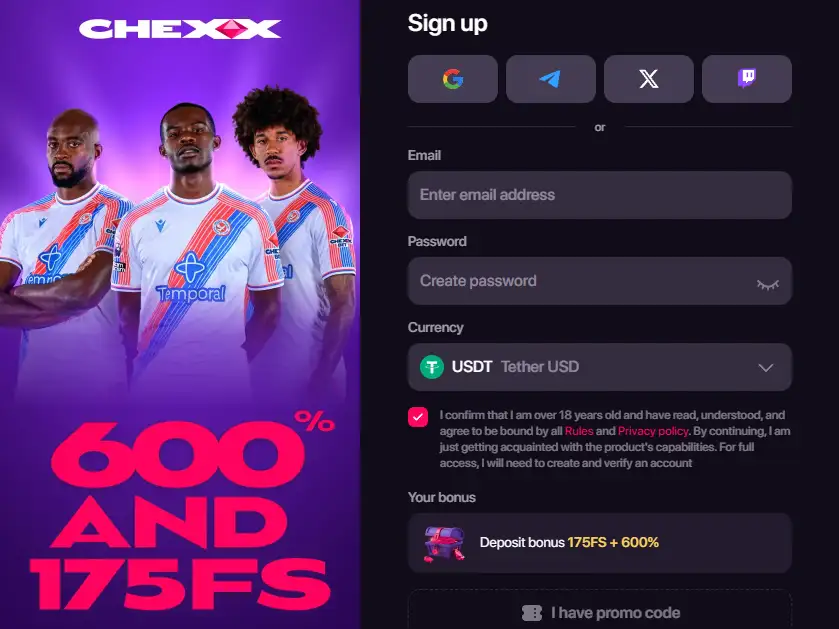
CHEXX accepts players from Nigeria in the CHEXX availability information, and the platform offers several account-entry methods: email, Google, Telegram and WalletConnect. The public minimum age used by CHEXX is 21+. A Nigerian user therefore needs to meet that age rule, choose a supported sign-up method and provide the country declaration used by the platform before moving on to funding the account. The full picture is in our CHEXX review for Nigeria.
Registration itself should not be confused with permanent exemption from verification. The normal sign-up flow does not mean that CHEXX can never review an account later. For the distinction between ordinary signup and a later review, see KYC and verification.
Can you register at CHEXX from Nigeria?
Yes. Nigeria is listed by CHEXX as available in Nigeria and is not one of the seven restricted jurisdictions listed by CHEXX. That means Nigerian player registration is presented as available rather than blocked.
This availability statement addresses whether CHEXX accepts Nigerian registrations. If your decision also depends on operator status and licensing, use the dedicated CHEXX trust and licence guide.
CHEXX sign-up methods compared
| Method | Best for | Main practical point |
|---|---|---|
| Users who want a conventional account credential | Keep access to the email inbox used for account and security messages. | |
| Users who already secure a Google account | Your ability to sign in depends on continued control of that Google account. | |
| Telegram | Users who prefer CHEXX access through Telegram | Verify the official CHEXX Telegram route and protect the Telegram account itself. |
| WalletConnect | Crypto-first users comfortable with wallet-based authentication | Connect only through the official CHEXX interface and never disclose a seed phrase or private key. |
The four routes differ mainly in how you authenticate. They do not create four different CHEXX products, balances or sets of casino rules. Choose the method that you can secure and recover most reliably rather than the one that simply looks fastest at the moment.
What you need before creating an account
- You must meet CHEXX’s public minimum age of 21.
- You should be registering from an accepted jurisdiction. Nigeria is open in the CHEXX availability information.
- You need control of the email, Google account, Telegram account or compatible wallet used for your chosen sign-up route.
- You should be ready to state your country as required by the platform’s regulator-based restriction process.
- If you intend to deposit crypto, decide separately which supported asset and network you will use before sending funds.
The country declaration matters because CHEXX describes its restriction process as regulator-based and places responsibility on the user to declare the country. Registration is therefore more than choosing a username: it also establishes the jurisdiction information on which access rules depend.
A practical CHEXX registration flow
- Open the official CHEXX site rather than a copied landing page or forwarded link.
- Select the registration or account-creation option.
- Choose email, Google, Telegram or WalletConnect as your access method.
- Complete the country declaration accurately and confirm that you meet the 21+ age rule.
- Finish the account setup and make sure you can log back in before depositing.
- Open your profile and review security, account and verification options before adding funds.
- Only then move to the cashier and select the exact cryptocurrency and network you intend to use.
This sequence separates account setup from payments. That is useful with crypto because an authentication problem is easier to resolve before money has been sent. The deposits and payments guide covers supported assets, networks and minimums without crowding the registration process with cashier detail.
Email, Google, Telegram or WalletConnect?
Email is the simplest choice for users who prefer a familiar login and who maintain a secure mailbox. It also gives you a clear place to receive account-related messages. The main risk is losing access to the inbox or using a weak password that is reused elsewhere.
Google can reduce the number of separate passwords you manage, but it concentrates access in your Google account. Use strong Google security and recovery settings if you choose this route.
Telegram is attractive if you already use the CHEXX Telegram Mini App. The official CHEXX information distinguishes the gaming route from the support route, so do not rely on a bot display name alone. The CHEXX Telegram guide explains the official handle roles.
WalletConnect suits experienced crypto users, but wallet authentication should never require you to type a seed phrase into a casino page or chat. A legitimate wallet connection is not the same thing as handing over wallet recovery credentials.
CHEXX login after registration
After creating the account, test the login route you selected before making a deposit. If you registered through an external account such as Google or Telegram, remember that recovery of that external account can become part of recovering CHEXX access. If you used WalletConnect, keep the wallet environment secure and avoid connecting from unfamiliar links.
CHEXX’s help material exposes profile functions for account information, security, linked external accounts and verification. That makes the profile area the sensible place to review your setup immediately after registration rather than waiting until a withdrawal or account issue forces you to do it.
Does CHEXX ask for KYC at sign-up?
CHEXX does not describe routine KYC as a mandatory step for every ordinary registration. It states that the user declares their country and that KYC is required if suspicious activity is detected. The important practical point is that this is not a promise of a permanently no-KYC account.
An account can therefore be created without treating a full document review as the default registration step, while still remaining subject to later verification if the platform’s review trigger is reached. For the conditional KYC rule, document limits and timing caveats, read CHEXX KYC and account verification.
Before your first deposit
Do not rush directly from account creation into a crypto transfer. First confirm that you can access the account, that the displayed country information is correct, and that you understand which network the cashier expects. A crypto asset can exist on several networks, and sending it on the wrong network can create a recovery problem.
CHEXX is crypto-only and supports multiple assets and networks. That makes wallet and network selection a separate decision from registration. If you are new to the platform, use the funding guide before sending money and keep a record of the transaction identifier after the transfer.
Security choices that matter at registration
Whichever sign-up method you choose, avoid using a shared device for first-time setup if you can. A CHEXX account can later contain betting history, transaction records and security settings, so the authentication method deserves the same care as a financial account. Keep the device lock active, use unique credentials where a password is involved and review linked accounts in the profile after setup.
Also separate account authentication from wallet custody. Registering with WalletConnect does not mean CHEXX or support staff should ever receive your wallet recovery phrase. If a page, bot or person asks you to type a seed phrase to “verify” the CHEXX account, treat that as a security warning rather than a normal registration step.
Common registration mistakes to avoid
Using a lookalike site or bot
Start from the official CHEXX domain or verified Telegram route. A copied logo or display name is not proof of authenticity.
Entering an inaccurate country
The country declaration is part of the platform’s restriction process. Do not choose a different country to bypass eligibility controls.
Assuming signup means guaranteed no KYC
The CHEXX rule allows KYC when suspicious activity is detected.
Depositing before testing account recovery
Make sure you can sign out and regain access using your chosen login method before funds are involved.
Mixing registration and payment decisions
Account creation does not determine the correct crypto network. Check the cashier separately.
What stays the same whichever sign-up method you choose
Email, Google, Telegram and WalletConnect give users different ways to start an account, but they do not change the core eligibility points stated for CHEXX. Nigeria is listed as open by CHEXX, the public minimum age is 21+, and later verification can still become relevant under the platform’s stated rules. Choosing a quicker sign-up route should therefore not be read as a way to bypass age, country or account-review requirements.
The best method is the one you can keep secure and recover reliably. Use account details you control, keep access to the associated email, Google account, Telegram account or wallet, and avoid creating duplicate registrations simply because another login method is available. The registration method changes how you enter the account; it does not create a separate set of payment, trust or verification rules.
A safer sequence for opening a CHEXX account
CHEXX registration is available to Nigerian players in the CHEXX availability information, with email, Google, Telegram and WalletConnect as account-entry methods and a public 21+ minimum age. The best registration method is the one you can secure and recover reliably. The next step: the first deposit.
Treat registration, verification and funding as three separate steps. Create the account and confirm access first, understand the verification rules second, and only then choose a crypto asset and network using the payments guide. For the broader operator picture, return to the CHEXX Nigeria review or read the trust and licence page.