
CHEXX Telegram Mini App and Bots
CHEXX uses two different Telegram bot roles. @ChexxBetBot is the gaming bot associated with Telegram Mini App access, while @ChexxSupportBot is the support bot. They are not interchangeable. If you are trying to play or open the CHEXX experience through Telegram, use the gaming route. If you need help with an account issue, use the support route. The full picture is in our CHEXX review for Nigeria.
Telegram access is an additional way to use CHEXX, not a native iOS or Android application. The broader mobile setup also includes the normal website and a browser-installed PWA. See the CHEXX app guide if you are deciding between those options.
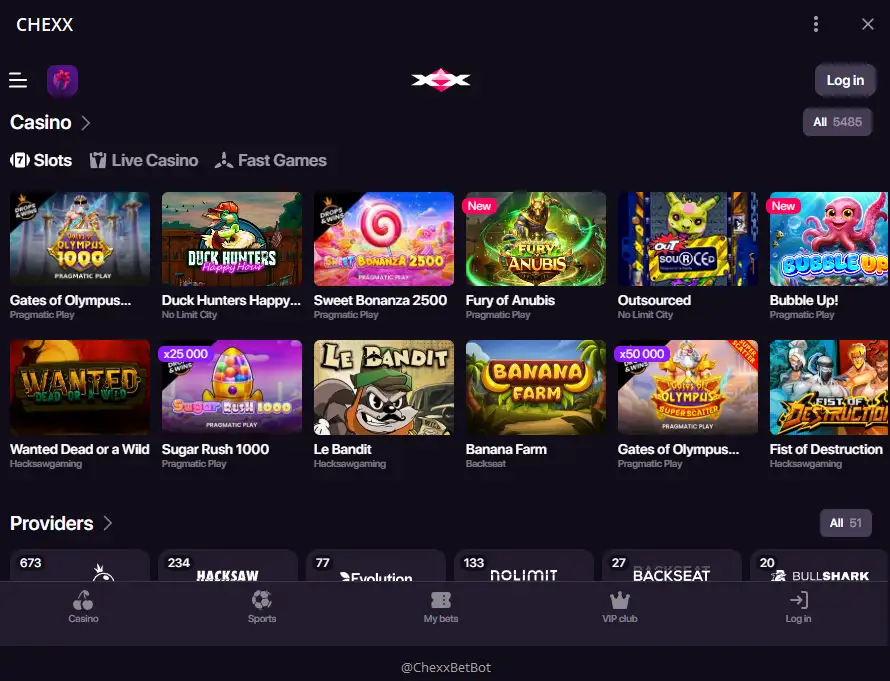
@ChexxBetBot versus @ChexxSupportBot
| Telegram handle | Role | Use it for |
|---|---|---|
| @ChexxBetBot | Gaming bot / Telegram Mini App access | Opening the CHEXX gaming experience through Telegram |
| @ChexxSupportBot | Support bot | Getting help with account or service questions |
The distinction is important because Telegram display names can be copied by impersonators. A bot that looks like CHEXX but uses a different handle should not be assumed to be official. Verify the exact username before opening links, entering credentials or discussing account details.
What the CHEXX Telegram Mini App is
A Telegram Mini App is an experience launched inside Telegram rather than a separate program downloaded from an app store. In CHEXX’s setup, Telegram is one of the supported access methods alongside the website and the PWA. That makes it useful for users who already spend time in Telegram and want to reach the platform without adding a traditional native app.
It is still important to separate the access channel from the underlying account. Telegram does not create a separate casino brand, separate balance system or separate mobile licence. It is simply another route into the CHEXX service.
How to check that a CHEXX bot is genuine
- Compare the Telegram username with the official CHEXX handle shown above.
- Do not rely on the profile picture or display name alone.
- Be suspicious of near-miss spellings, extra underscores, added numbers or swapped letters.
- Start from an official CHEXX channel when possible instead of discovering a bot through a forwarded message.
- Do not send passwords, wallet recovery phrases or private keys to any bot or support agent.
The two official CHEXX handles are easy to confuse because both begin with the brand name. Remember the functional split: Bet in @ChexxBetBot points to the gaming route; Support in @ChexxSupportBot points to assistance.
Using Telegram for account access
CHEXX includes Telegram among the available account-access and registration methods, alongside email, Google and WalletConnect. If you choose Telegram, keep control of the Telegram account itself because losing that account can complicate access to services connected to it.

For users creating an account for the first time, the dedicated CHEXX registration guide covers the supported sign-up routes. The relevant Telegram distinction is what each bot does and which route is used for access versus support.
Telegram support route
CHEXX lists 24/7 support through live chat, email at [email protected] and a Telegram support bot. The official Telegram support handle is @ChexxSupportBot. Use that route for help rather than messaging the gaming bot and assuming the same process applies.
Support should never need your wallet seed phrase or private key. If a Telegram account asks for either, stop the conversation. For sensitive account recovery or verification issues, confirm that you are communicating through an official CHEXX support channel before sharing account-specific information.
Telegram promotion
CHEXX lists an action-based free-spin offer for subscribing to the Telegram bot: 10 free spins at 0.20 USD each, with 1x wagering, a seven-day period and a 20 USDT maximum cashout. These are specific promotional terms rather than a permanent feature of Telegram itself.
Because promotions can be changed independently from the access channel, do not choose Telegram solely because of a bonus. The main practical reason to use it is convenience. Bonus eligibility and availability should be treated as separate from whether the Mini App works as an access method.
Telegram versus the CHEXX PWA
| Feature | Telegram Mini App | PWA |
|---|---|---|
| Where it opens | Inside Telegram | From a browser-installed home-screen or desktop icon |
| Native app-store download | No | No |
| Best fit | People who already use Telegram regularly | People who want a dedicated app-like shortcut |
| Verification focus | Exact bot handle | Official CHEXX domain before installation |
Neither option is the same as a native App Store or Google Play app. If you want a conventional icon without running inside Telegram, the PWA is the closer match. If you want to keep access inside an app you already use, Telegram may be more convenient.
Privacy and device considerations
Telegram can make access convenient, but it also links the activity to a messaging environment you may use for personal communication. Check notification previews and device privacy settings if you do not want gambling-related messages or bot activity visible on a lock screen.

On shared devices, signing out and protecting the Telegram account with the platform’s available security controls is particularly important. Convenience should not override basic account hygiene.
When Telegram is the better choice
Telegram is most useful when you already trust and secure your Telegram account and want CHEXX access without adding another browser shortcut. The PWA is usually clearer when you prefer a dedicated icon that is separate from your messaging activity. Neither route changes the need to verify official endpoints before entering account information.
For Nigerian users, this is mainly a convenience decision rather than a payment or product decision. The casino, sportsbook and account remain CHEXX services; Telegram changes the doorway, not the underlying platform.
How the Telegram routes differ in practice
CHEXX uses Telegram for more than one purpose, so the first step is to identify the route before interacting with it. The CHEXX gaming bot and Telegram Mini App are access routes connected with using the service, while the CHEXX support bot is for help. Those functions should not be blended together just because they appear inside the same messaging platform.
This is also why Telegram should not be described as a native iOS or Google Play application. The CHEXX mobile setup uses a PWA and Telegram Mini App instead of a native store app. The distinction matters for users searching an app store: the absence of a native listing does not mean the brand has no mobile route, but it does mean users should not install an unrelated app that merely uses a similar name.
Account access through Telegram is therefore best understood as one channel among the listed CHEXX access options. Registration can also use other supported methods, and the PWA remains a separate mobile route. Telegram is distinctive because it combines an access channel with a support route inside the same platform, but each official handle still has a separate role.
Checks to make before using a CHEXX bot
Because Telegram usernames can be imitated, use the official handles stated in the CHEXX material rather than searching by display name alone. A display name can be copied; the exact username is the more useful identifier. Do not rely on unofficial download links or a bot that asks you to install a separate application when the listed CHEXX setup is based on the PWA and Telegram Mini App.

Keep support and gaming conversations separate as well. A support request should go through the listed support route, while account access should use the listed gaming or Mini App route. If a message comes from a different username, treat it as unverified until it can be matched to CHEXX’s official website or help channels.
The same caution applies to promotions. A promotion mentioned through Telegram should still be read against the listed offer conditions rather than treated as proof that every message, forward or community post is official. Telegram is an access method, not an exemption from checking the exact account, promotion and security details shown by CHEXX.
When the PWA is the clearer alternative
Telegram is useful when a user already relies on the messaging platform and wants the listed Mini App or bot route, but it is not the only mobile option. CHEXX also documents a PWA. That gives users a browser-based route without requiring a native app-store installation or a Telegram session.
The choice is mainly about access preference. Someone who wants to keep casino access separate from messaging can use the PWA, while someone who already uses Telegram may prefer the Mini App route. Neither option should be confused with a native iOS or Google Play app, because the CHEXX mobile setup specifically uses the PWA and Telegram Mini App instead.
Keeping those routes distinct also makes troubleshooting easier. If the Telegram route is unavailable or a bot identity cannot be verified, the PWA provides a separate CHEXX access method. If the issue is support rather than access, use the official support channel instead of switching between unofficial bots.
When Telegram is the right CHEXX access route
CHEXX’s Telegram setup has a clear two-handle structure: @ChexxBetBot is the gaming/Mini App route, and @ChexxSupportBot is the support route. Telegram is one of the ways to access CHEXX, but it is not a native mobile app and should not be confused with the PWA. The other ways to play on a phone: mobile and PWA.
For the safest use, verify the exact handle before interacting, avoid lookalike bots and never share wallet recovery credentials. If you want to compare Telegram with browser and PWA access, use the CHEXX mobile guide. For account creation, continue to account registration, or return to the main CHEXX Nigeria review.
 Wild FudgeBetixon
 Crazy MummyPascal Gaming
 Maneki FortunesSkywind Group
 ReactoonzPlay'n GO
 Sevens HighRoyal Slot Gaming (RSG)
 Wanted Dead or a WildHacksaw Gaming
 Sizzling Hot DeluxeNovomatic
 Love Gems Hold and Win1spin4win
 Wild PharaohSwintt
 The Boom SquadGenesis Gaming
 StarburstNetEnt
 Sweet FTNGameArt
 Sugar LandFelix Gaming
 Blackjack Surrender OriginsSurrender
 Ultimate Blackjack with RachaelLive-style
 Premier Blackjack with Side BetsSide Bet
 European BlackjackMultihand
 Atlantic City BlackjackClassic
 Blackjack Lucky LadiesSide Bet
 Multihand BlackjackMultihand
 Perfect Pairs BlackjackSide Bet
 Blackjack 21 ClassicClassic
 Classic BlackjackClassic
 Single Deck Blackjack GoldSingle Deck
 Vegas Strip BlackjackClassic
 Double Exposure BlackjackDouble Exposure
 Quantum Blackjack PlusMultiplier
 Vegas Downtown Blackjack GoldGold Series
 Gold RouletteGold Series
 Multifire RouletteMultiplier
 Double Ball American RouletteDouble Ball
 Mega Fire Blaze RouletteMultiplier
 Monopoly Roulette TycoonThemed
 Dragon RouletteThemed
 European RouletteClassic
 American RouletteClassic
 Auto RouletteSwitch Studios
 Immortal Romance RouletteThemed
 Roca Riches RouletteThemed
 Quantum RouletteMultiplier
 Mini Roulette 3DMini
 French RouletteNetEnt
Created by the ”Chexx Casino” editorial team.